
Every room we build ends up with the same problem: a display, a processor, a DSP, a lighting circuit and three remote controls, none of which a guest or a duty manager should ever have to think about. The control system is the layer that hides all of it behind one panel with a few clear buttons, and it is the difference between a room that gets used and a room that gets a phone call.
What it controls
Sources and switchingLaptops, room PCs, media players, cameras and wireless presentation, selected by name rather than by input number.
Displays and projectionPower, input and shutter, with screens and lifts driven in the right order so nothing is left running overnight.
LED processingPreset recall on the video processor, so an event layout is one button instead of a laptop and a technician.
AudioVolume, mute, microphone levels and DSP presets, with limits set so the room cannot be pushed past what it can carry.
Lighting and blindsScene recall tied to room mode, so presentation, banquet and cleaning each have their own look without a lighting desk.
Room combiningPartitions sensed or selected, and audio, video and control follow the layout automatically across the combined spaces.
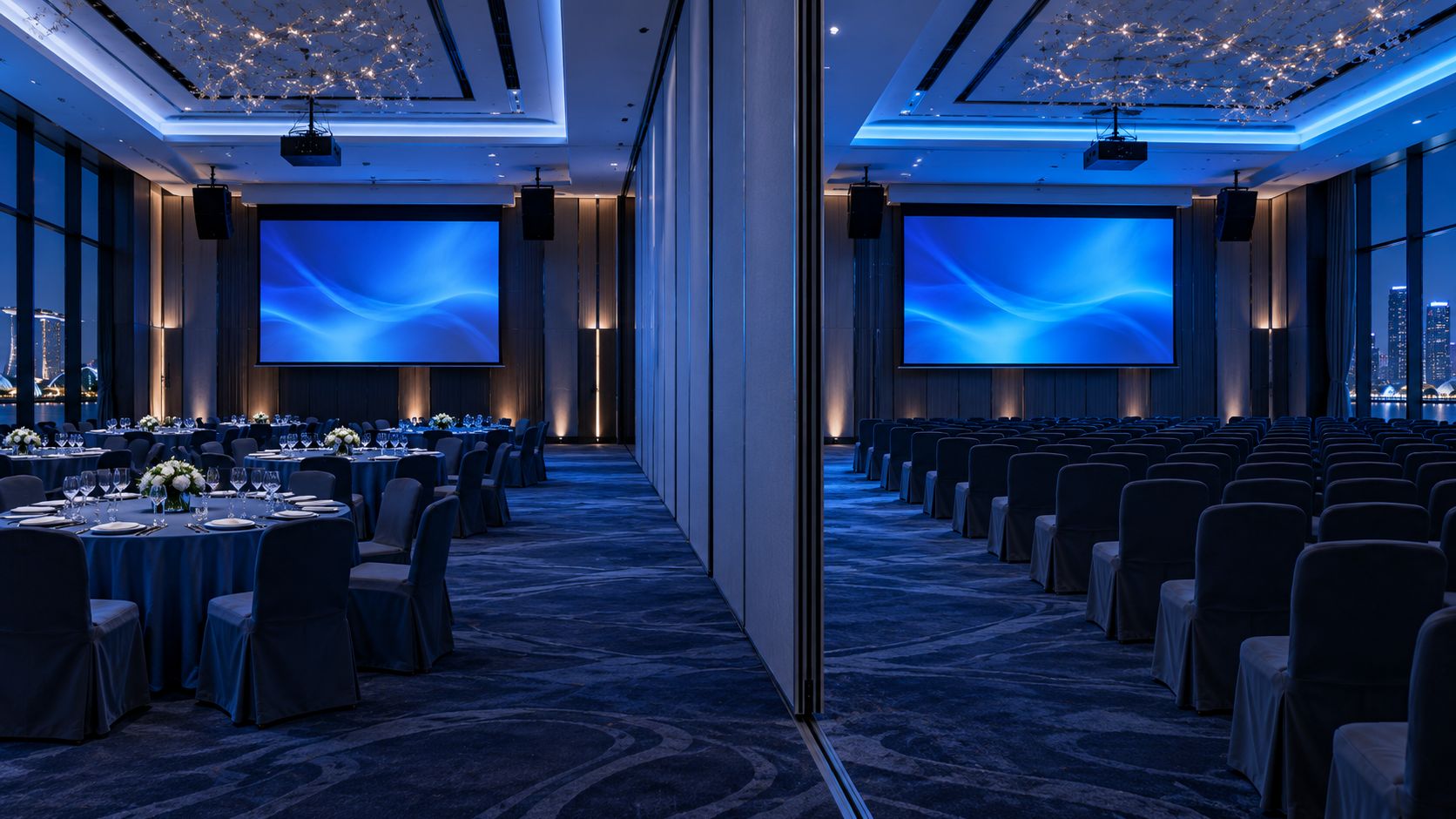
Room combining is control, not cabling. When the partition opens, audio zones, display routing and the panel layout all follow it, so staff never have to remember which half owns the microphones.
Control processor
DisplaysPower, input, screens and lifts
LED processorLayout preset recall
Audio DSPLevels, mutes, presets
LightingScene recall per mode
Blinds and screensPosition per scene
PartitionsRoom combining logic
What the system is built on
- Touch panels and keypads sized to the room. A boardroom may need a full touch interface; a meeting room is often better with a six-button keypad that cannot be misused.
- A control processor that holds the logic, so the room keeps working when a tablet goes missing or a laptop leaves the building.
- Network foundation: managed switches, a dedicated VLAN, static addressing and PoE where it is needed, agreed with your IT team before install rather than negotiated on site.
- Scheduling and occupancy where required, including door-side room panels that show availability and free a room that nobody turned up for.
- Monitoring for larger estates, so a projector lamp, an offline display or a room left powered on is visible centrally instead of reported by a user.
How the project runs
- Requirement workshopWe walk the room with you and write down what a user must be able to do without help, then design backwards from that.
- Design and drawingsControl schematic, network requirements, panel layouts and a functional description you can sign off before programming starts.
- Programming and commissioningLogic written, devices addressed, every mode tested in the room with real sources and real staff.
- Handover and supportConfiguration files and documentation handed over, staff trained, and remote support available under the maintenance agreement.
What to send us for a quotation
- Room list and what each room has to do.
- Equipment already in the rooms, or the AV design if one exists.
- Whether rooms combine, and how the partitions are operated.
- Lighting, blind and HVAC systems in the building, and whether they expose a control interface.
- Your IT team's position on VLANs, static addressing and remote access.
- Who operates the rooms: trained AV staff, front-of-house, or the guests themselves.